Overview
Gigaset deskphones include the ability to build secure VoIP-Infrastructures via the OpenVPN Technology. Gigaset decided to use OpenVPN because it is compatible with SSL/RSA Certificates and X509 PKI, NAT, DHCP, and TUN/TAP virtual devices. OpenVPN is Open Source and is licensed under the GPL.
This article explains the step-by-step implementation of OpenVPN on Gigaset desktop phones, including server installation and setup, creating the phone configuration and applying it on the phone.
Install and configure the OpenVPN server
The OpenVPN server is available for free and there are various guides available on installing and configuring it. This section contains one out of several methods to install and set up a minimal OpenVPN server on Linux and Windows. For more options and detailed information, see https://openvpn.net or the available documentation for your server.
Install and configure OpenVPN on the Gigaset desktop phones
Install the VPN patch
The VPN feature is not shipped with the default firmware due to security considerations. Gigaset provides the VPN feature in a small firmware patch which needs to be installed. This patch contains only the VPN feature and thus is very small in size.
To install the VPN feature patch follow one of the following procedures:
Manual Installation
- Find out your currently installed firmware version.
- Open the Firmware page and click on your device
- Select the software version of your device
- Scroll down to "VPN Feature Update"
- Copy the download link
- Open the phone web user interface and go to: Setup - Software Update - Manual Software update
- Paste the link in the "Manual Software Update" field and click "Load"
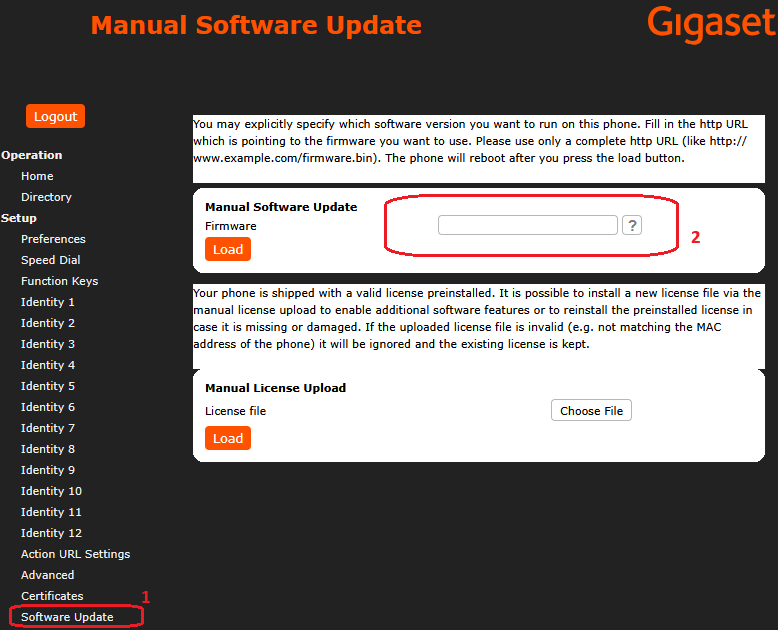
The phone will reboot and install the patch. Afterwards you will be able to use the VPN feature
Automatic installation via GRAPE
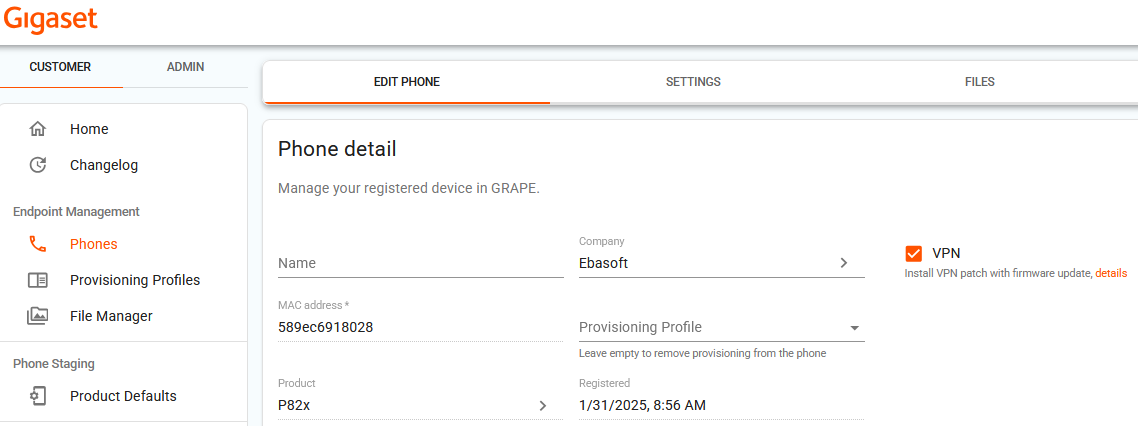
It is also possible to install the VPN patch automatically via GRAPE, as part of the provisioning or even prior to the settings being fetched by the phone.
- Open the GRAPE Phones page
- Enable VPN
- The next time the device connects to GRAPE, the VPN patch will be installed
How to tell if the VPN patch installation was successful
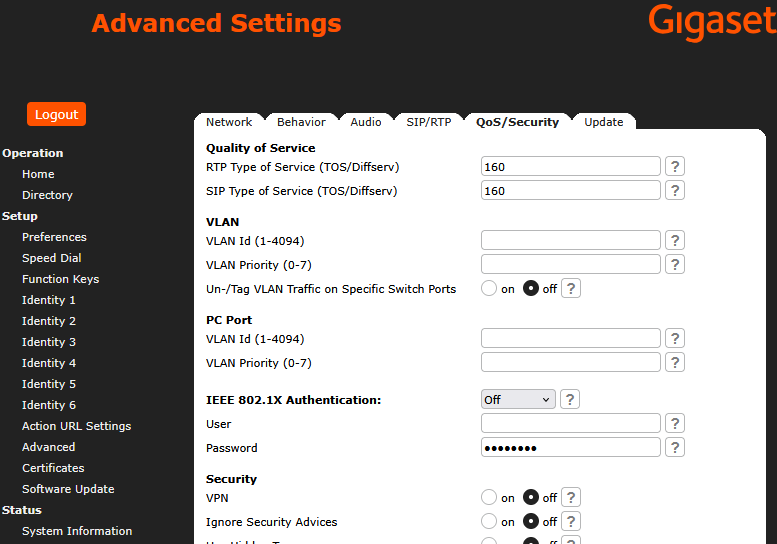
If the VPN installation was successful, the VPN feature will be available. Here is now you can check that the VPN feature is available:
- The VPN option is now visible in the Phone's Web Interface under Advanced → QoS/Security. If the VPN patch installation was successful, you should see here the VPN setting (it will be set to off at first because the VPN feature was installed, but it is not yet enabled)
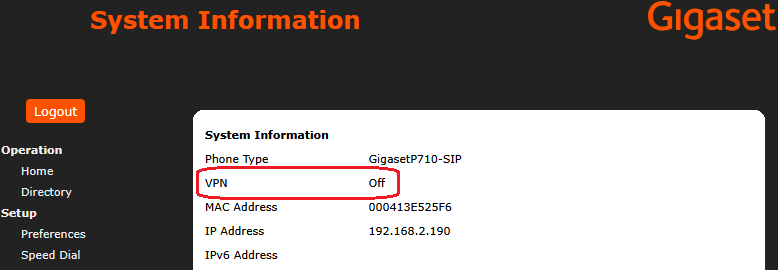
- The VPN line is now added to the System Info screen in the Phone Menu. Open the "Settings" menu by pressing the phone button with the gear symbol, then navigate to "Information" and select "System Info".
You should see the VPN line (it will show VPN off at first because the VPN feature was installed, but is not yet enabled)