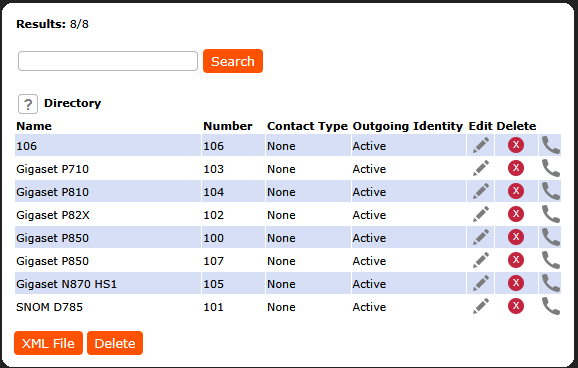
Provisioning the local directory can be done using the XML format
1. Create a regular settings file and included a <tbook> inside it.
|
2. Create a separate xml settings file and included in your list of <settings-files>
|
| Attribute / Tag | Valid Values | Explanation |
|---|---|---|
| <tbook> | The tbook tag defines the directory itself. | |
| e | 2 | Defines that unicode-values inside xml-escapes (e.g. @) may be greater than 255. |
| complete | true / false | When this is provisioned, it indicates that the provided tbook is complete and thus the previous one can be deleted. This is the only way to delete entries from the internal tbook via provisioning. |
| <Item> | Each item tag defines one local directory contact it requires the attributes below to properly function | |
| context |
| Defines the SIP identity (line/account) this contact should be called with. Leaving this empty always chooses the currently active identity.
|
| type |
|
|
| index | <number> | Represents the contact's visual position within the list of entries in case of no sorting options. This value must be unique for each item. |
| fav |
| Defines whether current contact is a Favorite or not. This affects the list when filtering for favorite contacts.
|
| <first_name> | Specifies the first name of the contact.
| |
| <last_name> | Specifies the family name of the contact.
| |
| <name> | Specifies the last name of the contact. If also the last_name is provided then the last_name is used. | |
| <number> | Specifies the number of the contact.
| |
| <title> | Specifies the title e.g. "Head of Finances" of the contact.
| |
| <organization> | Specifies the organization of the contact.
| |
| <email> | Specifies the E-Mail address of the contact.
| |
| <note> | Adds a note to the contact that can be viewed in the contact details.
| |
| <group> |
| Specifies the group the contact belongs to. This is relevant when any of the sorting methods is applied.
|
| <number_type> |
| Specifies the number type of the contact <number>.
|
| <photo> | Photo, Base64 Encoded | You have to encode a photo first to base64 (For example here online) and paste it to the XML File.
|
| <action_url> | valid URL | Specifies the action URL that is requested when the phone receives or places a call from/to this contact.
|