By default, the provisioning service has a caching time of 1 hour, you can change this via the cli command: cli-config set mcmad.suota_cache_time_limit=60, lowest value = 1 minute.
Introduction |
From software 2.68 or higher we have implemented auto-provisioning of our DECT handsets.
- Supported by R700H / S700H / SL800H / SL850H
- Handset must be 20% charged if out of charger and 5% if in charger
- Provisioning URL to external server
- URL to one file for all handsets
- URL contains placeholder %IPUI, each handsets has it's own provisioning file
- Nested profiles is supported
- Our DECT system can host one provisioning file for all handsets
- Up to 2 provisioning schedules can be created
- Version value supported to allow only download of newer files
- Force download supported
- By default, the provisioning file is cached for 1 hour by the DECT system
- The DECT base station, the handset is connected to, will download the provisioning file
- The handset will try 2 times to download the file in case the download failed, then it will stop
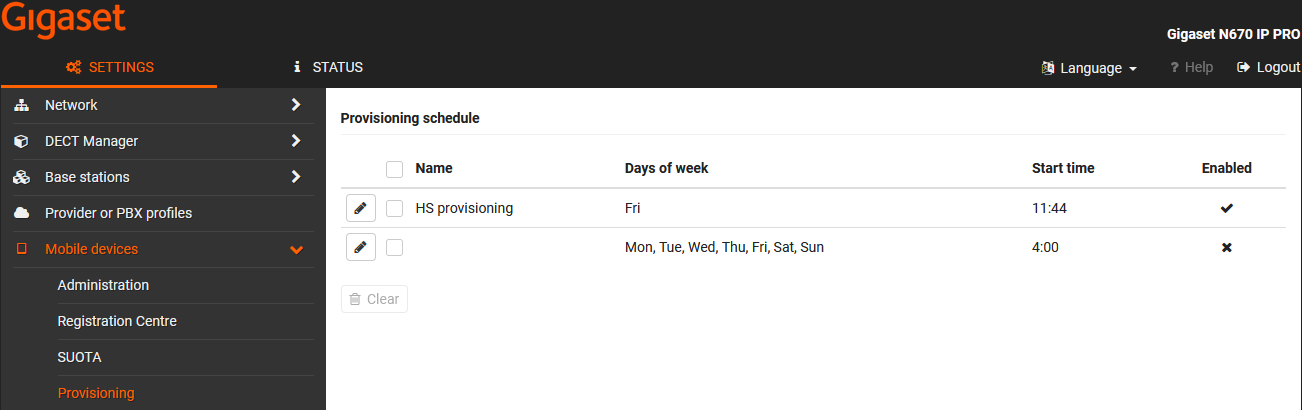
Provisioning schedule |
You can create 2 Provisioning schedules
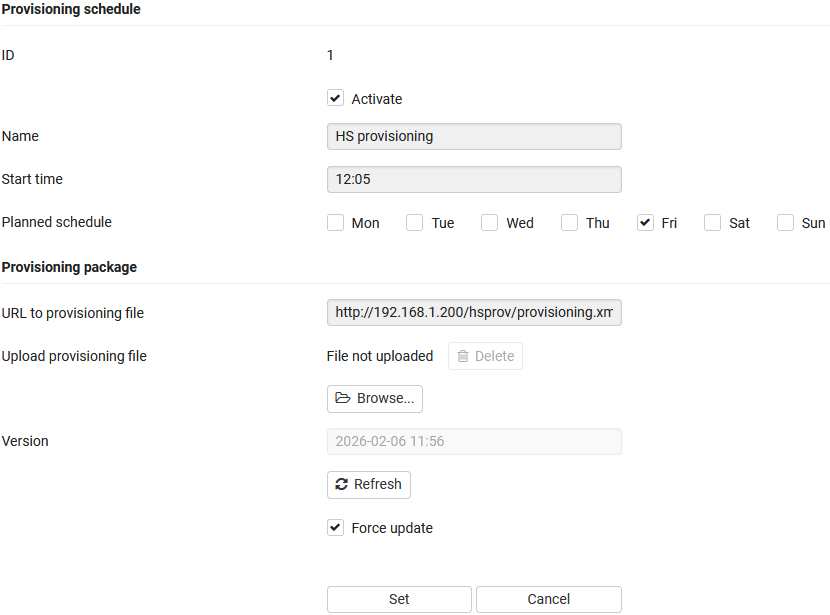
Provisioning schedule - Edit
Activate: Enable/Disable the provisioning schedule
Name: Provide the name of the provisioning schedule, you can later see this in the handset table
Start time: The time that the provisioning needs to be started
Planned schedule: Select the days the provisioning needs to be started
URL to provisioning file:
- Link to one file for all handsets
Example: http://192.168.1.200/hsprov/provisioning.xml - Link to for each handset a seperate file
Example: http://192.168.1.200/hsprov/%IPUI.xml
The device will replace %IPUI by it's own IPUI
Example: http://192.168.1.200/hsprov/03b7b19e5c.xml
Upload provisioning file: Allows you to upload one provisioning file for all Handsets that are assigned to this Provisioning schedule.
Version: Press the Refresh button to add the current date/time stamp. Only when the date/time stamp is newer, the provisioning file will be downloaded. As DECT channels have limited capacity, this make sure that only resources are used when newer provisioning files are available.
Force update: In case you want that always the provisioning file is downloaded then enable Force update.
Provisioning URL to external server |