Introduction
From software 2.68 or higher we have implemented the option to select the outgoing line (Only if more then 1 outgoing line is available)
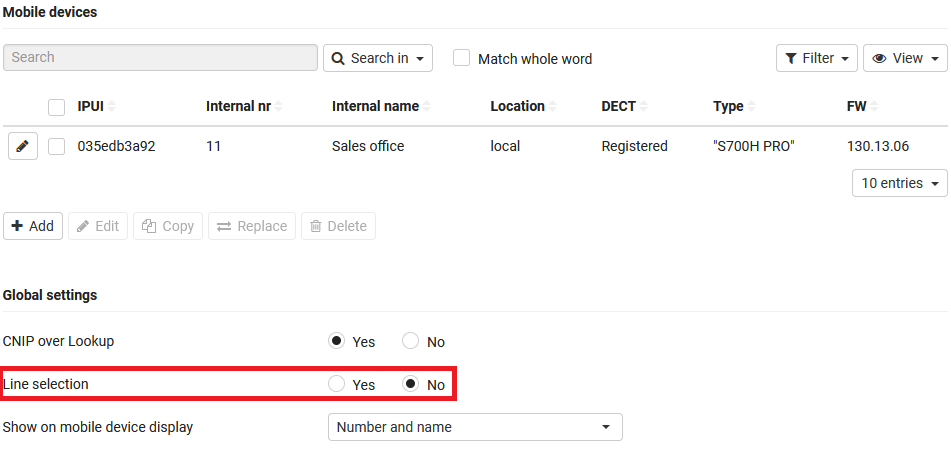
To be able to use this feature you need to enable this via:
Mobile devices - Line selection
Softkey Sel. Line
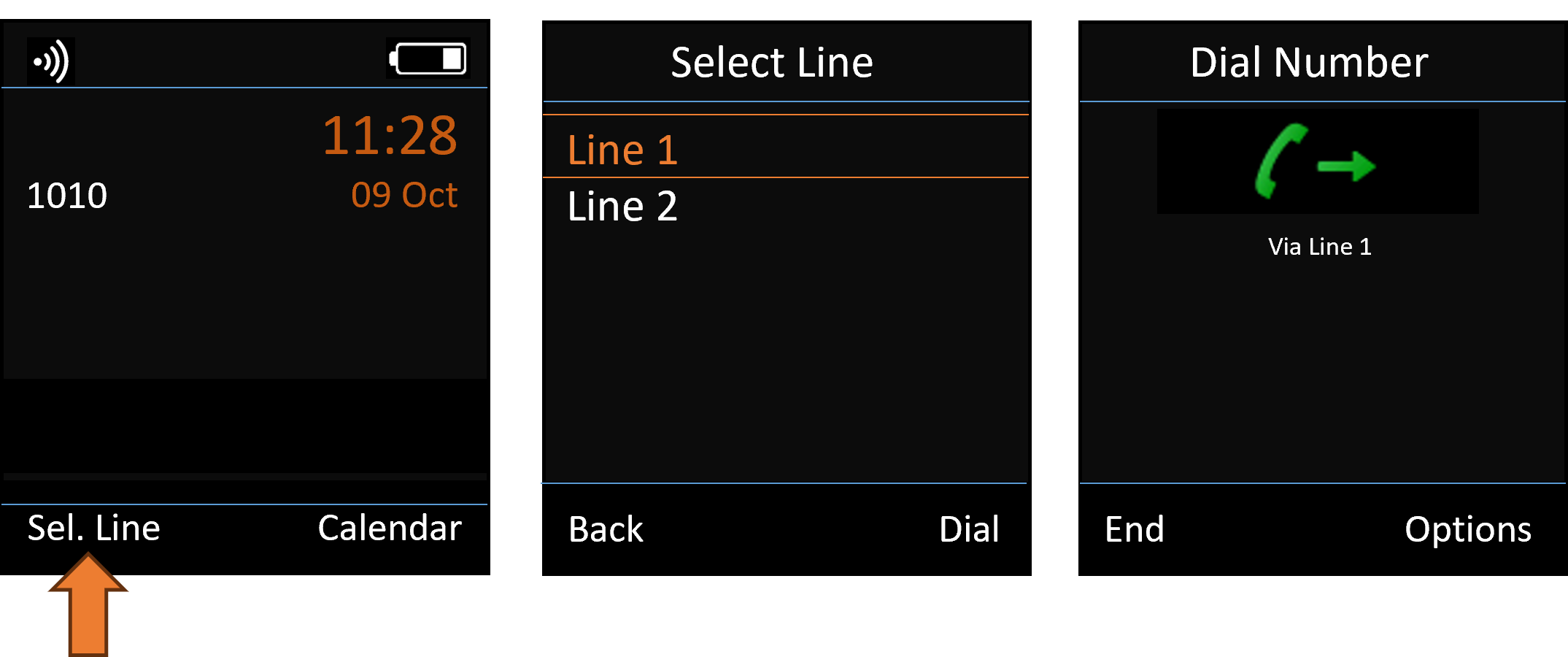
Select Line via pressing the Softkey "Sel. Line"
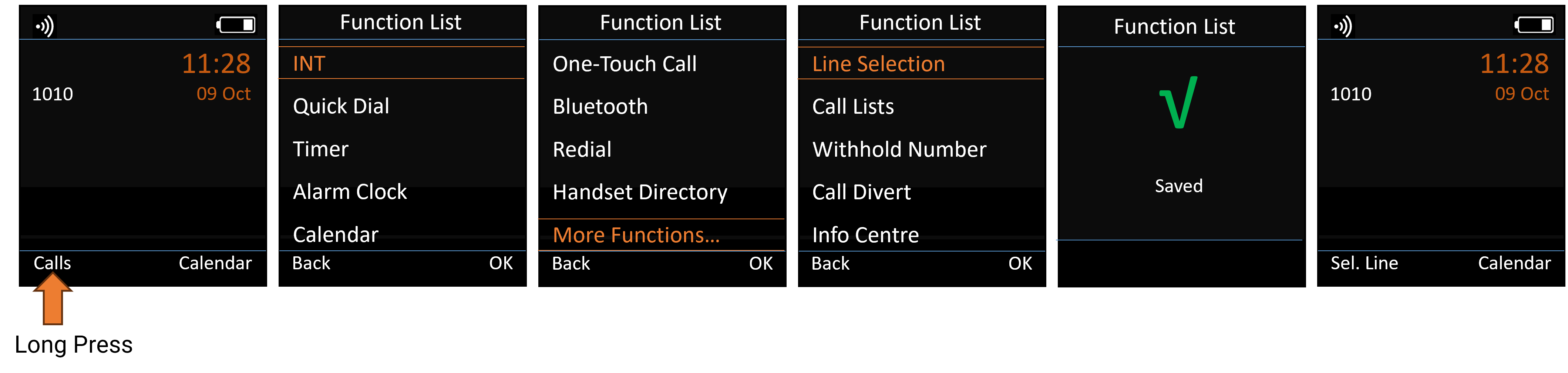
- Long press on the required Softkey
- Select More Functions...
- Select Line Selection
- Press OK to save
- Press Sel.Line
- Select the required outgoing Line
- Enter the number