Introduction
From software 2.68 or higher we have implemented the option to select the outgoing line (Only if more then 1 outgoing line is available)
Also valid for N610/N670 when internal telephony is enabled.
To activate this feature on existing environments handset re-registration is required! |
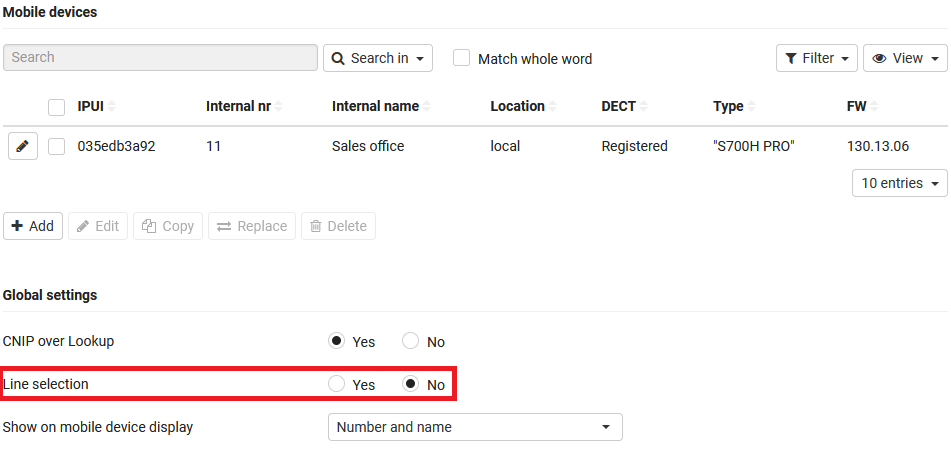
To be able to use this feature you need to enable this via:
Mobile devices - Line selection
Softkey Sel. Line
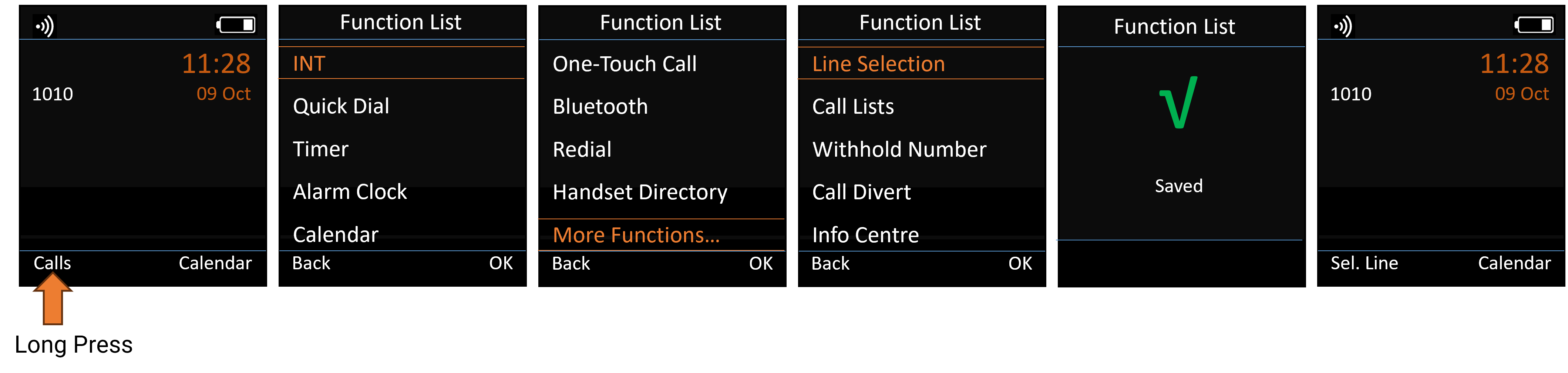
Select Line via pressing the Softkey "Sel. Line"
- Long press on the required Softkey
- Select More Functions...
- Select Line Selection
- Press OK to save
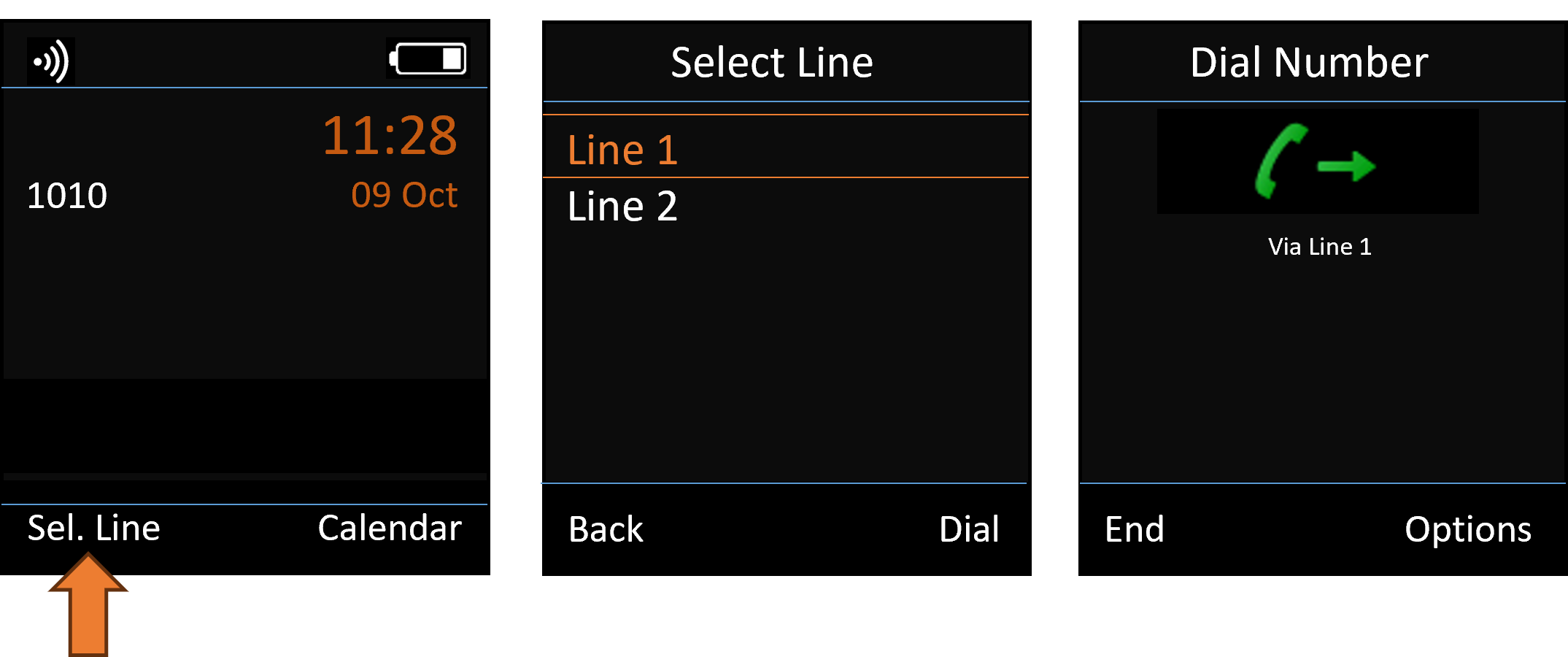
- Press Sel.Line
- Select the required outgoing Line
- Enter the number
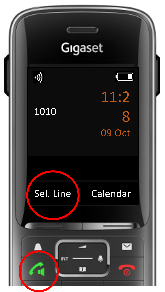
You can also select the line via Long press via the Send key
Possibility to select line before call by press "longpress" in cases described above:
- redial list
- calls list
- dial keypad
- directory
- XHTML