In the web-interface go to:SETTINGS - Telephony - XSI Services 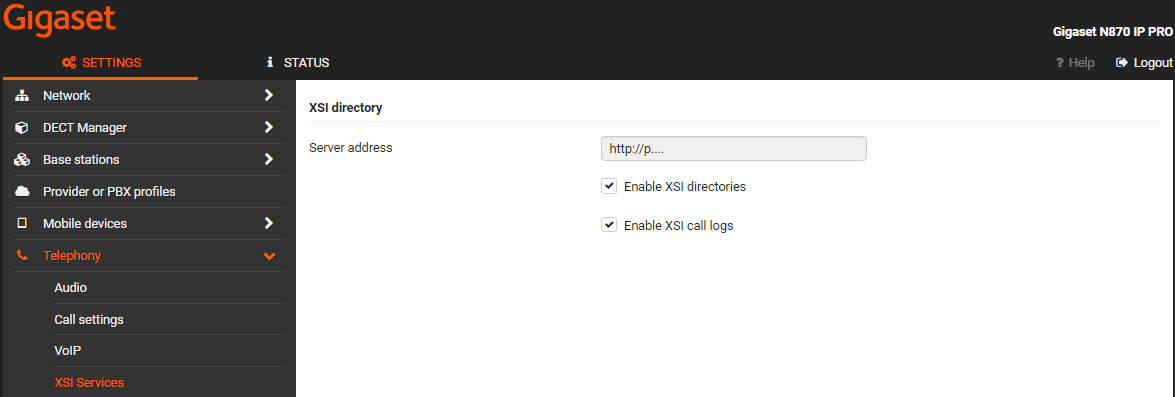
| Parameter | Description | Auto provisioning |
|---|
| Server address | The URL of the XSI server | XSIDir.1.ServerURL | | Enable XSI directories | Enable or disable the usage of XSI phonebooks | DmGlobal.0.XSINetdirs (0=Disable / 1=Enable) | | Enable call logs | Enable or disable the usage of XSI call logs | DmGlobal.0.XSICallLogs (0=Disable / 1=Enable) |
In the web-interface go to:SETTINGS - Online directories - XSI 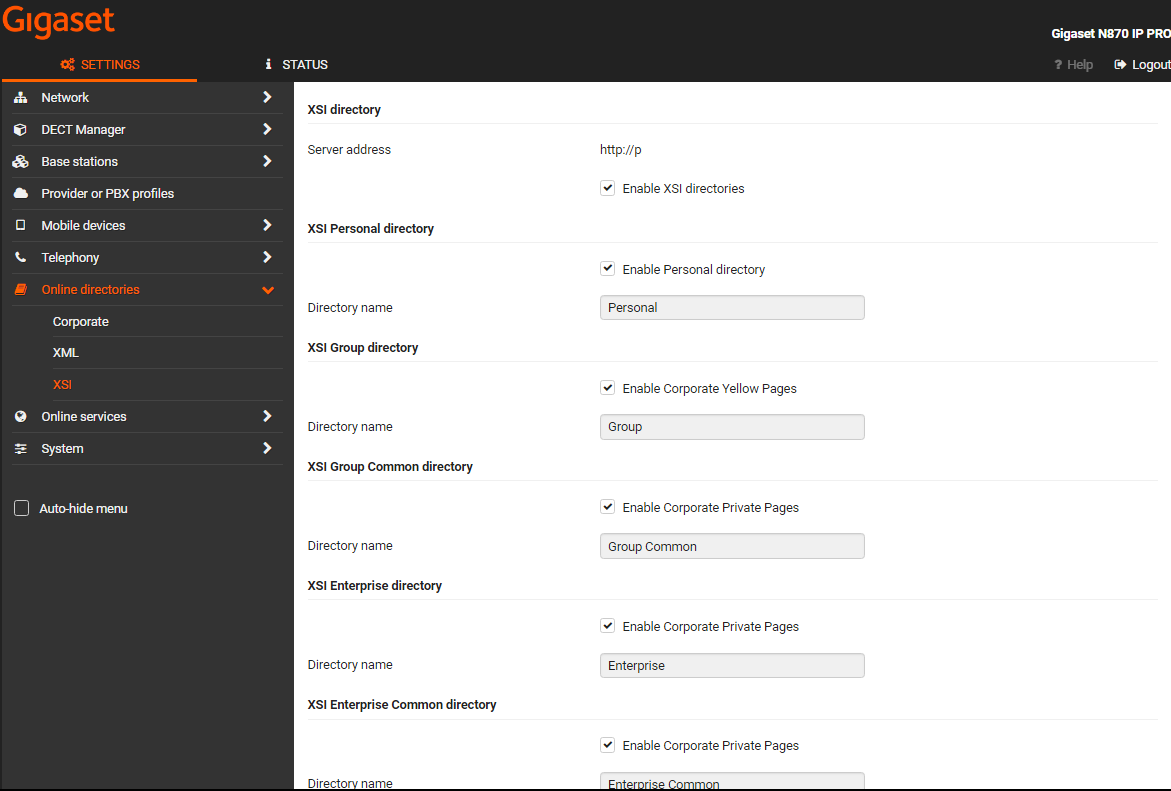
| Parameter | Description | Auto provisioning |
|---|
| Server address | The URL of the XSI server | XSIDir.1.ServerURL (Setting is done in XSI services) | | Enable XSI directories | Enable or disable the usage of XSI phonebooks |
| | Enable Personal directory |
| XSIDir.1.PDirName | | Directory name |
|
| | Enable Group directory |
| XSIDir.1.GDirName | | Directory name |
|
| | Enable Group Common directory |
| XSIDir.1.GCDirName | | Directory name |
|
| | Enable Enterprise directory |
| XSIDir.1.EDirName | | Directory name |
|
| | Enable Enterprise Common directory |
| XSIDir.1.ECDirName | | Directory name |
|
|
In the web-interface go to:SETTINGS - Mobile devices - Administration and select the handset 
| Parameter | Description | Auto provisioning |
|---|
| Use SIP credentials | For Authentication use the SIP credentials or the Broadsoft XSI username and Password |
|
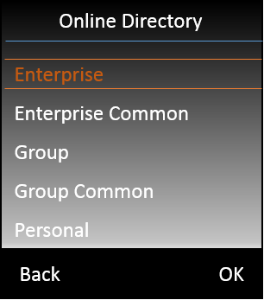
|  to open the list with available Phone books. Which phonebooks are visible depends on the setting made by the Administrator.